


实现使用 AWS Lambda + DynamoDB + EventBridge 定时抓取 RSS,并在有更新时 SNS 通知
假设
本文以 AWS News 的 RSS 为例,需将语言切换至英文
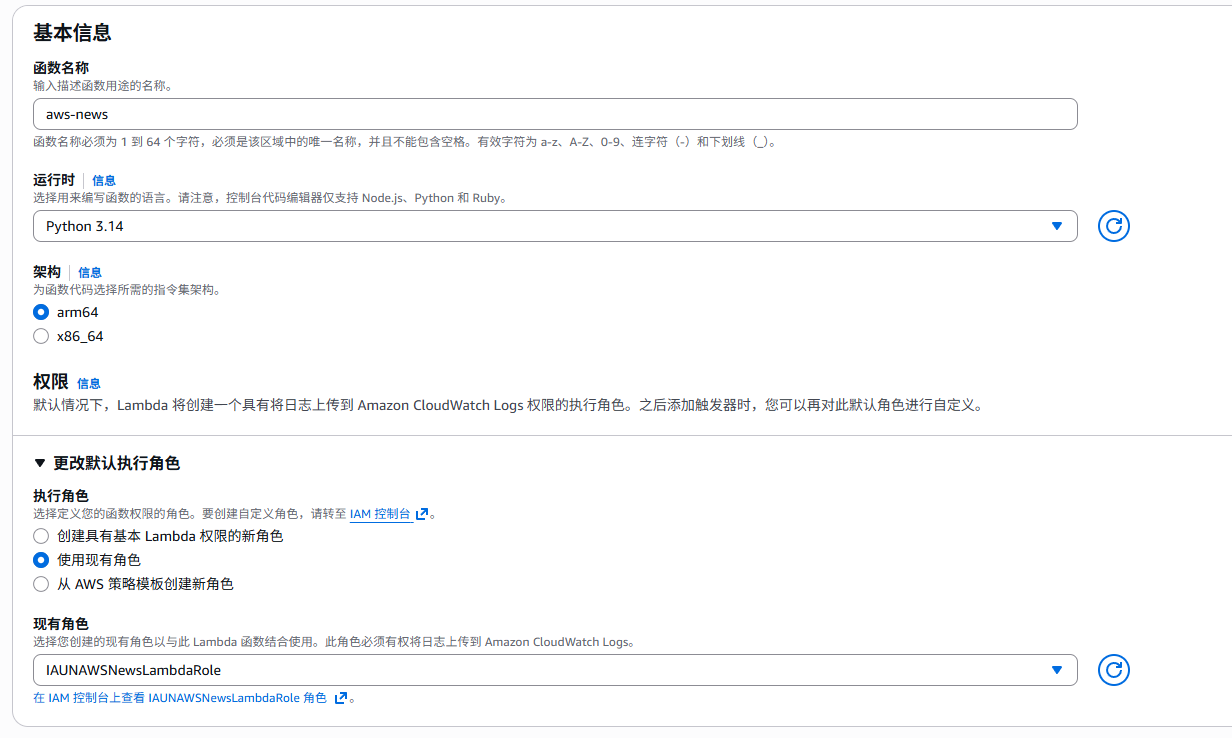
使用 Lambda Python 3.14 (arm64)
费用
费用以 AWS 亚太香港区域、1 个月 30 天、每天扫描 8 次、AWS News 一天 3 次更新为例
创建资源
IAM
策略 (Policy)
需要给 Lambda 函数提供权限,依最小权限原则,大致需要如下权限(替换<>内容)
{
    "Version": "2012-10-17",
    "Statement": [
        {
            "Effect": "Allow",
            "Action": [
                "dynamodb:Scan",
                "dynamodb:PutItem",
                "dynamodb:DeleteItem"
            ],
            "Resource": "arn:aws:dynamodb:<region>:<aws-account>:table/<ddb-table>"
        },
        {
            "Effect": "Allow",
            "Action": "sns:Publish",
            "Resource": "arn:aws:sns:<region>:<aws-account>:<sns-topic>"
        },
        {
            "Effect": "Allow",
            "Action": [
                "logs:CreateLogGroup",
                "logs:CreateLogStream",
                "logs:PutLogEvents"
            ],
            "Resource": "arn:aws:logs:<region>:<aws-account>:log-group:/aws/lambda/*"
        }
    ]
}
角色 (Role)
创建适用于 Lambda 函数的角色,并附加上述策略
信任关系如下:
{
	"Version": "2012-10-17",
	"Statement": [
		{
			"Effect": "Allow",
			"Principal": {
				"Service": "lambda.amazonaws.com"
			},
			"Action": "sts:AssumeRole"
		}
	]
}
DynamoDB 表
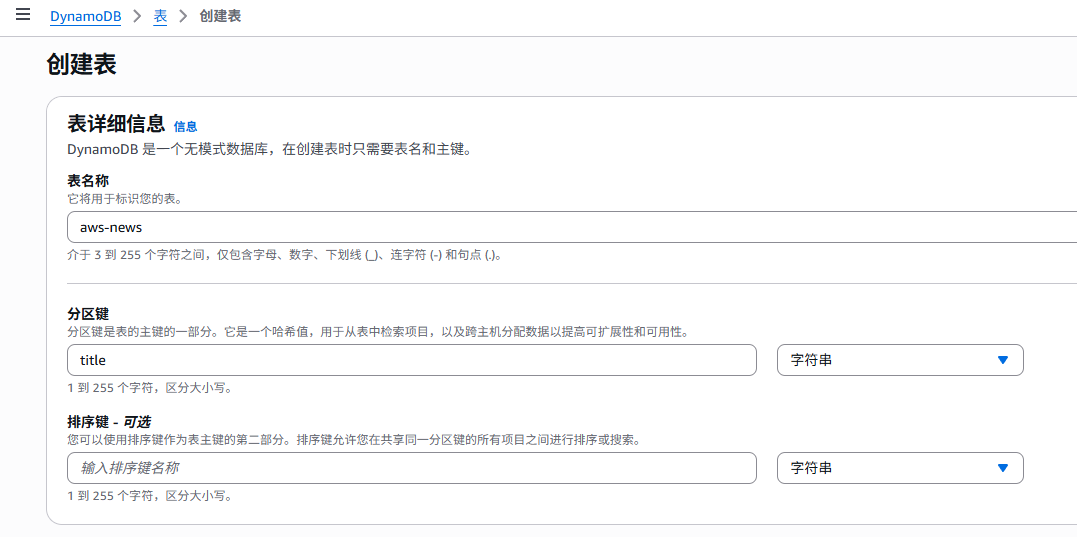
创建一个按需或已预置的表,具有 title (String) 分区键
SNS 主题
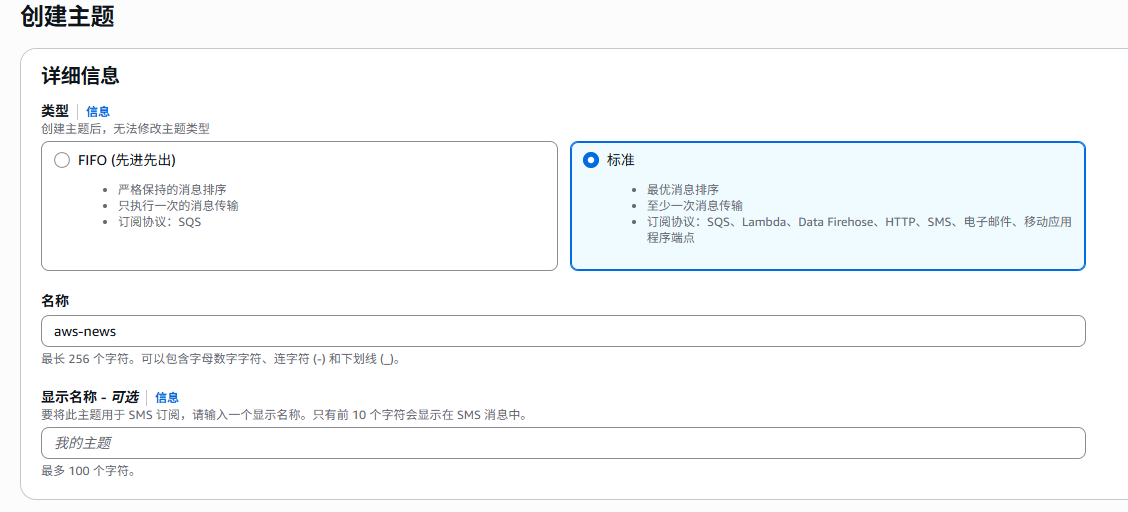
创建一个 SNS 主题,并添加订阅
Lambda 层
确保本地有 Python 3 环境
创建一个空目录并进入,创建 venv 环境
python -m venv .venv创建如下 bat 文件并执行
@echo off
if exist python rmdir /s /q python
if exist layer.zip del layer.zip
mkdir python
call .venv\Scripts\activate.bat
pip install feedparser requests -t python --no-binary charset-normalizer
powershell -Command "Compress-Archive -Path python -DestinationPath layer.zip -Force"
echo Layer package created: layer.zip
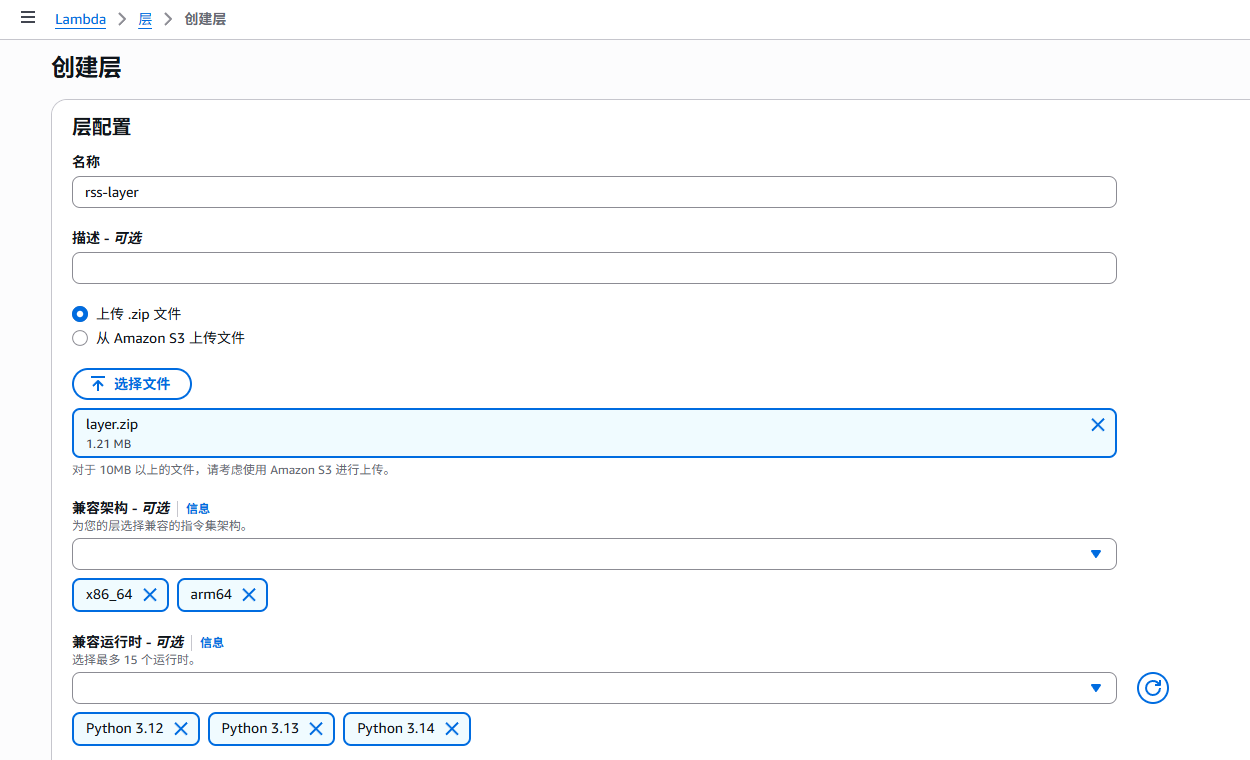
执行后,会有一个 layer.zip 文件,将其上传到 lambda - 层
Lambda 函数
创建函数时,可选 arm64 以降低成本,并选择先前创建的 IAM 角色
创建完成后,将层添加到函数

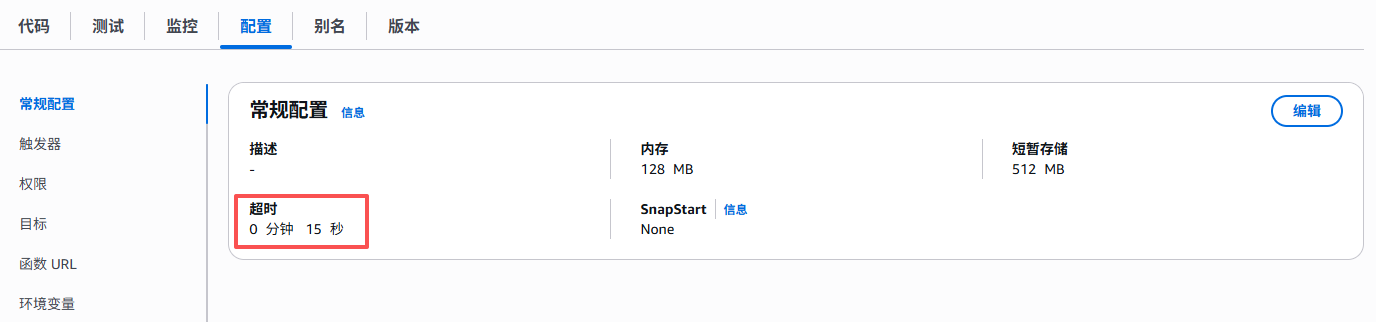
建议延长超时
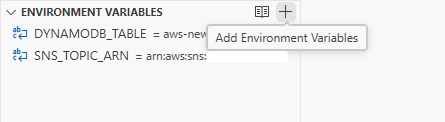
添加环境变量
添加代码 (由 Claude Sonnet 4.5 提供)
import os
import boto3
import feedparser
import requests
from datetime import datetime

RSS_URL = 'https://aws.amazon.com/about-aws/whats-new/recent/feed/'
TABLE_NAME = os.environ.get('DYNAMODB_TABLE', 'aws-news')
SNS_TOPIC_ARN = os.environ.get('SNS_TOPIC_ARN')

def lambda_handler(event, context):
    dynamodb = boto3.resource('dynamodb')
    sns = boto3.client('sns')

    response = requests.get(RSS_URL, timeout=10)
    feed = feedparser.parse(response.content)

    table = dynamodb.Table(TABLE_NAME)
    rss_titles = [entry.title for entry in feed.entries]

    scan_response = table.scan(ProjectionExpression='title')
    db_titles = {item['title'] for item in scan_response.get('Items', [])}

    if set(rss_titles) == db_titles:
        return {'statusCode': 200, 'body': '无变化'}

    new_items = [title for title in rss_titles if title not in db_titles]
    removed_items = db_titles - set(rss_titles)

    for title in removed_items:
        table.delete_item(Key={'title': title})

    for title in new_items:
        table.put_item(Item={'title': title, 'timestamp': datetime.now().isoformat()})

    if new_items and SNS_TOPIC_ARN:
        message = '\n\n'.join(f'• {item}' for item in new_items)
        sns.publish(TopicArn=SNS_TOPIC_ARN, Subject='AWS新闻更新', Message=message)

    return {'statusCode': 200, 'body': f'新增 {len(new_items)} 项,删除 {len(removed_items)} 项'}
创建测试 Event 并测试
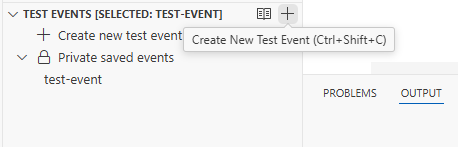
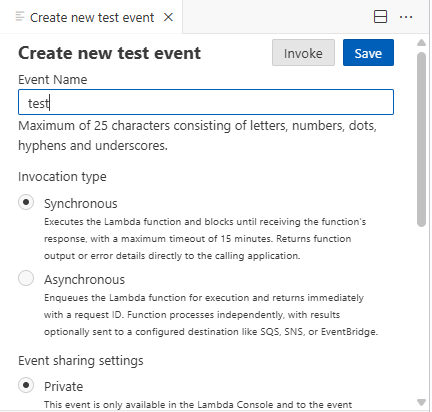
Event JSON 可保持默认或输入 {} ,并按 Save 和 Invoke
EventBridge
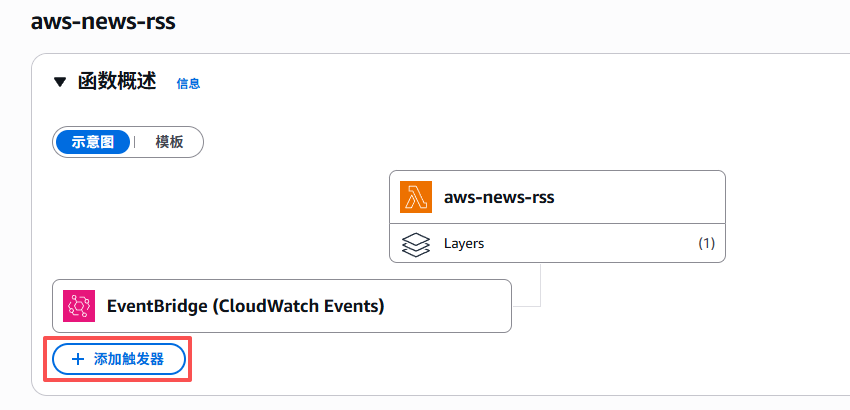
在函数概述点“添加触发器”
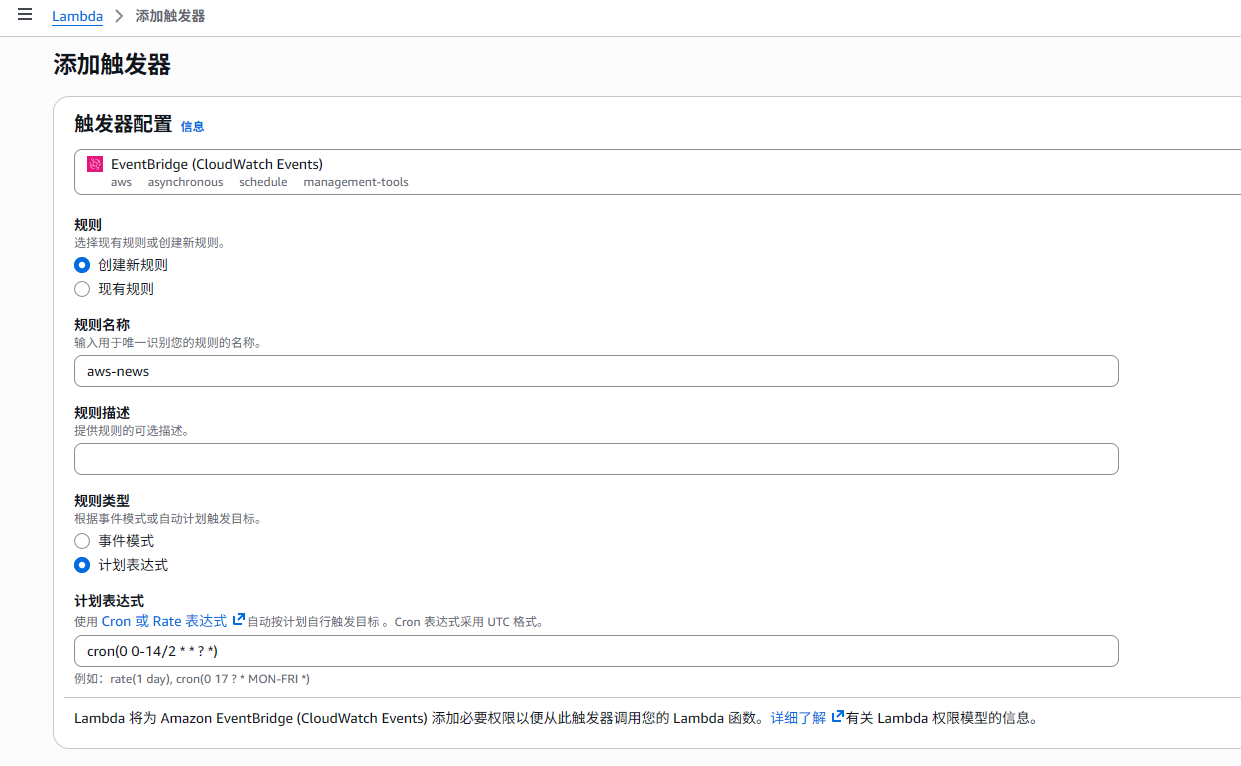
cron(0 0-14/2 * * ? *)如上的 cron 是每天的 UTC 时间 0-14 点每隔 1 小时的 0 分执行(即北京时间 8-22 点每隔 1 小时的 0 分)
效果展示
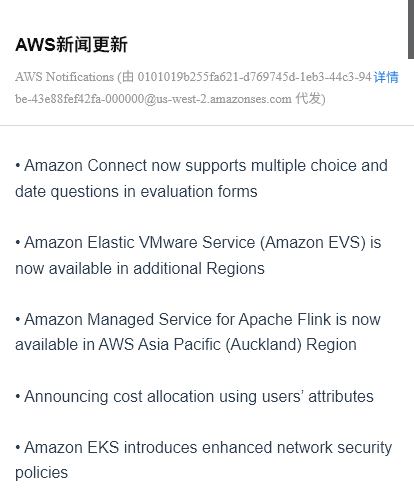
当有更新时,SNS 将会发送邮件提醒